
OpenTune APK download facts
Use the table as a reading aid, then open the official release page when you are ready to download. The release list is not a mirror and this site does not rehost the APK.
| Version | Released | APK file | Status | Download |
|---|---|---|---|---|
| 3.0.6 | August 2, 2026 | app-universal-release.apk | Latest stable | |
| 3.0.5 | July 14, 2026 | app-universal-release.apk | Superseded | |
| 3.0.3 | June 9, 2026 | app-universal-release.apk | Superseded | |
| 3.0.2 | May 24, 2026 | app-universal-release.apk | Superseded | |
| 3.0.1 | April 19, 2026 | app-universal-release.apk | Superseded | |
| 3.0.0 | March 30, 2026 | app-universal-release.apk | Superseded |
How to download OpenTune APK from GitHub
A useful download page should answer three questions before a file is opened: who published it, which asset is meant for Android, and how can the downloaded bytes be checked? For OpenTune, those answers point to the Arturo254/OpenTune repository and its stable GitHub Release assets. The APK is an Android package; the automatically generated ZIP and TAR files are source archives and cannot be installed as applications.
Start from the release page rather than a shortened link or a pop-up mirror. Check the repository owner, release tag, asset name and file size together. If the page shows a draft, a pre-release or an asset hosted outside github.com/Arturo254/OpenTune/releases/download/, stop and review the official project context before continuing.
- Repository owner: Arturo254/OpenTune.
- Stable record used by this guide: 3.0.6, last checked August 13, 2026.
- Android asset: app-universal-release.apk.
- Recorded size: 26.78 MiB (28,077,468 bytes).
- Minimum Android version: Android 8.0 or later.
Download and check the file before opening it
The download action on this site leads to a GitHub asset after a short confirmation step. That pause lets you read the exact version and filename instead of accepting a changing redirect. Once GitHub opens, confirm that the browser address remains on the Arturo254/OpenTune release path and that the asset ends in .apk.
Save the release URL next to the downloaded file. If the browser reports a partial download, a zero-byte file or a different extension, delete it and start again from the official release page. Do not rename a ZIP into an APK; Android package installation depends on the package contents, not the filename alone.
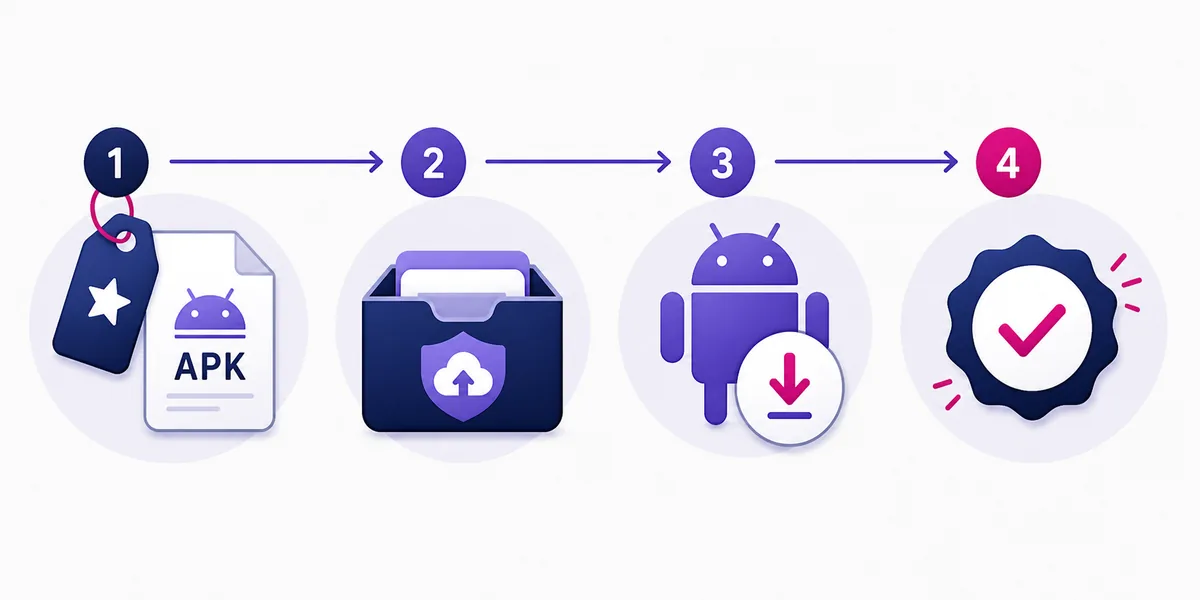
- Read the release tag
Compare the tag with the version shown in the facts table and the project's current Releases page.
- Select the Android asset
Choose the .apk asset, preferably the universal build when the release documents it; ignore source archives.
- Check the host
Keep the download on github.com/Arturo254/OpenTune/releases/download/. Leave if a mirror asks for another installer.
- Keep the evidence
Record the release URL, filename, byte size and digest before moving the file to the Android device.
| File detail | What to compare | Reason |
|---|---|---|
| Version | Release tag such as 3.0.6 | Prevents an old bookmark being mistaken for a current build |
| Filename | app-universal-release.apk | Separates the installable package from source archives |
| Size | 28,077,468 bytes in the dated record | Catches an interrupted or substituted transfer |
| Digest | SHA-256 when the release provides it | Confirms the bytes match the published asset |
Continue to Android installation
After the APK is on the phone, Android may ask which browser or file manager is allowed to install it. Grant the temporary permission only to the app that opened this verified file, then return to the package installer. The permission is separate from OpenTune's playback, library or storage choices.
For a first install, read the package name and confirm that Android identifies the app as OpenTune. For an update, the installed package and the new package must normally use the same signing identity. A signature conflict is a source mismatch to investigate; it is not a prompt to uninstall data immediately.
- Use Android 8.0 or later.
- Keep at least 100 MiB free for the package, cache and update space.
- Allow installation only for the named browser or file manager.
- Test search, playback and audio output before adding offline content.
- Open the full installation guide for parsing, storage and update errors.
Verify an OpenTune APK download
A checksum is a byte comparison, not a complete security audit. If the release exposes a SHA-256 digest, calculate the digest of the file you saved and compare every character. On Windows use Get-FileHash; on macOS or Linux use shasum -a 256. On Android, use a trusted checksum utility and avoid uploading a private file to an unknown scanner.
If the value differs, delete the file and download it again from GitHub. Do not install first and investigate later. The repository, release tag, asset name and digest should agree as one evidence chain.
- Open the release details
Use the release URL to see the tag, publication date, notes and asset list.
- Calculate SHA-256
Hash the exact file you downloaded; do not hash a renamed archive or a screenshot.
- Compare characters
A single changed character means the local bytes do not match the published digest.
| Result | Meaning | Next action |
|---|---|---|
| Digest matches | Local bytes match the recorded asset | Continue with Android compatibility and install checks |
| Digest differs | The file or source differs | Delete it and restart from GitHub |
| No digest published | The release offers less byte-level evidence | Keep the release URL and use the project's documented source |
| Host differs | The file came from another distribution path | Do not treat it as the verified download |
Official version sources
- OpenTune Releases - Complete release list and attached APK assets.
- OpenTune 3.0.6 tag - Latest verified stable changelog and APK.
- OpenTune source tree - Build configuration and tagged source for version 3.0.6.
OpenTune versions FAQ
What is the latest OpenTune APK?
The latest stable version verified on August 2, 2026 is OpenTune 3.0.6.
Can I download OpenTune 3.0.1 APK?
Yes. OpenTune 3.0.1 remains attached to its official GitHub Release. It is superseded by 3.0.6 and should be used only when you have a specific compatibility reason.
Why did the APK filename change between versions?
The project changed its build and release naming over time. Select the actual APK asset attached to each tag instead of guessing a filename.
Can I downgrade OpenTune without losing data?
Android and application database migrations may block or break downgrades. Back up first and avoid uninstalling unless you accept that local app data may be removed.
Are old OpenTune versions safe?
An official old APK has a traceable source, but it lacks later fixes and may use outdated integrations. Traceability does not make it the recommended release.
Where should I download OpenTune APK?
Use the Arturo254/OpenTune GitHub Releases page and select the documented APK asset. Keep the release URL, version, filename and digest together; do not treat a third-party mirror as the same source.